- 2×Smash burger
- 1×Truffle fries
RESTAURANT OPERATING SYSTEM
Run your restaurant from one connected system.
Menu, orders, POS, kitchen, recipes, stock and branches stay in sync.
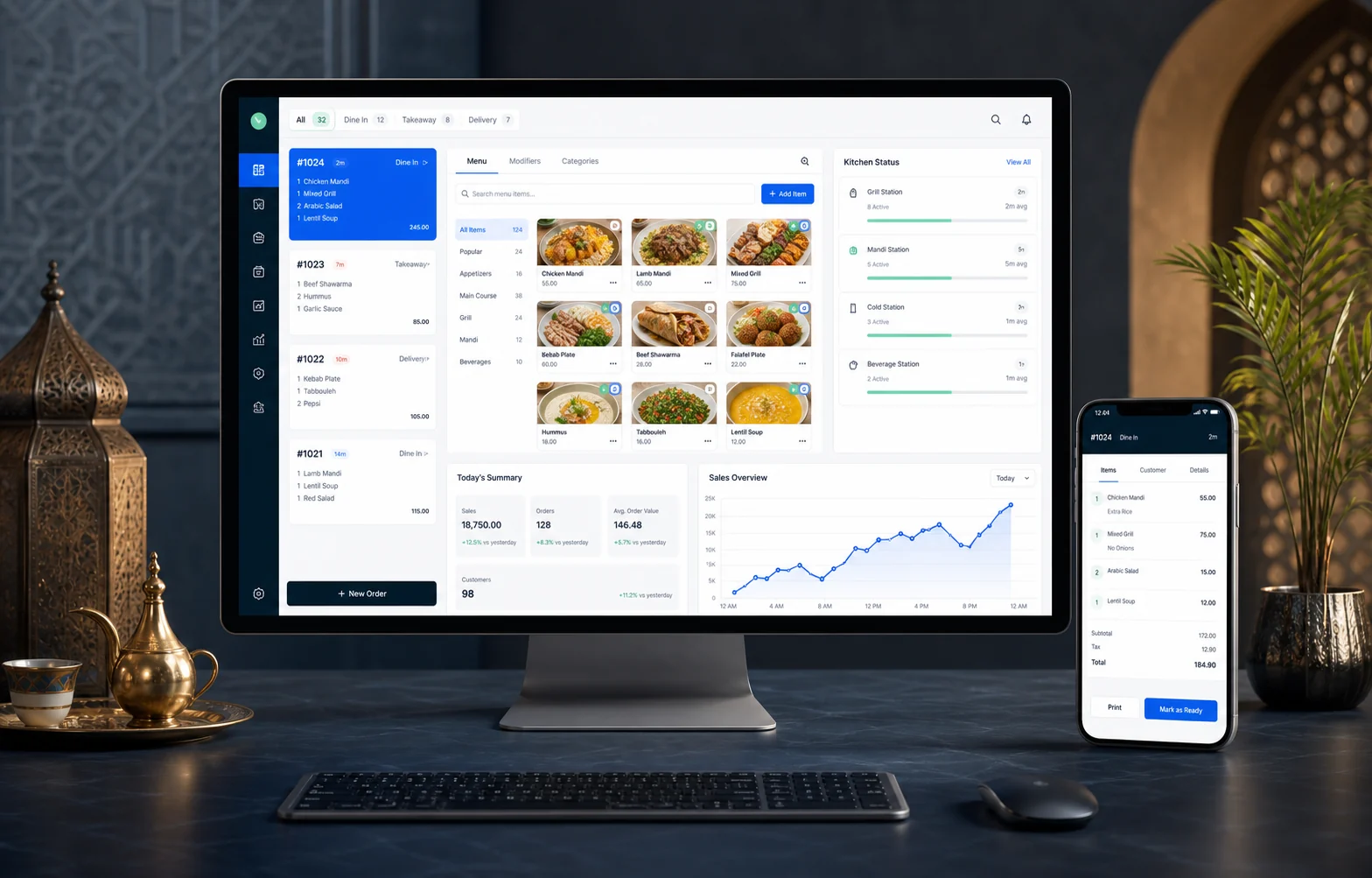
- Arabic + English
- Start with one branch
- Add modules when ready
ONE ORDER. ONE SHARED VIEW.
Watch one order move through Restiq.
Each person sees the next task, while management keeps the complete picture.
- 01 Guest
- 02 POS
- 03 Kitchen
- 04 Stock
- 05 Owner
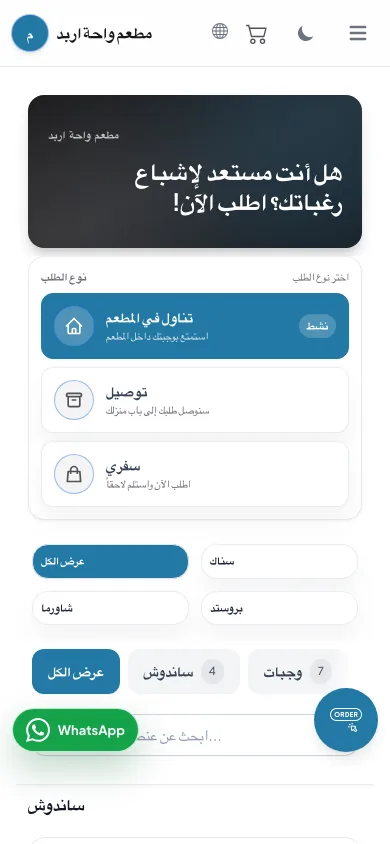
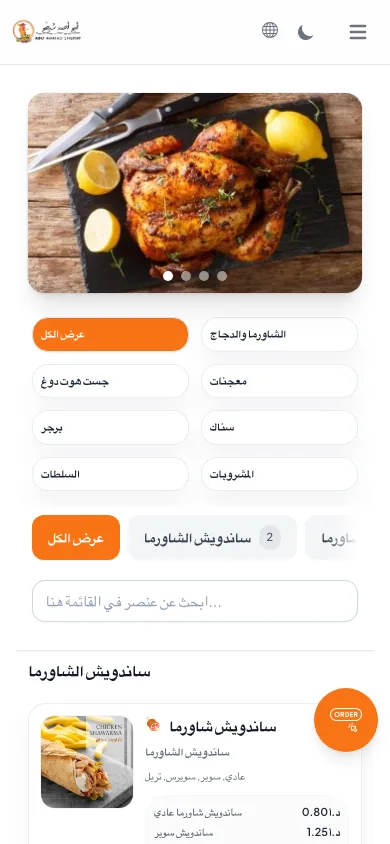
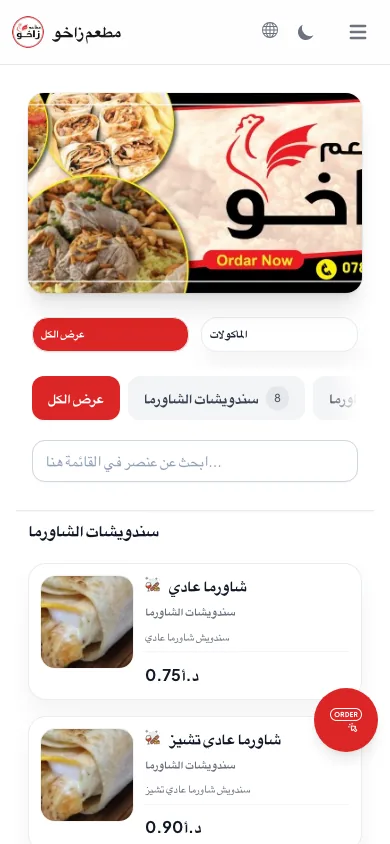
The guest orders without waiting.
A clear Arabic or English menu sends the order to the same operation your team already uses.
The cashier keeps one clean order queue.
Dine-in, delivery and online orders arrive in a consistent format with payment and table details.
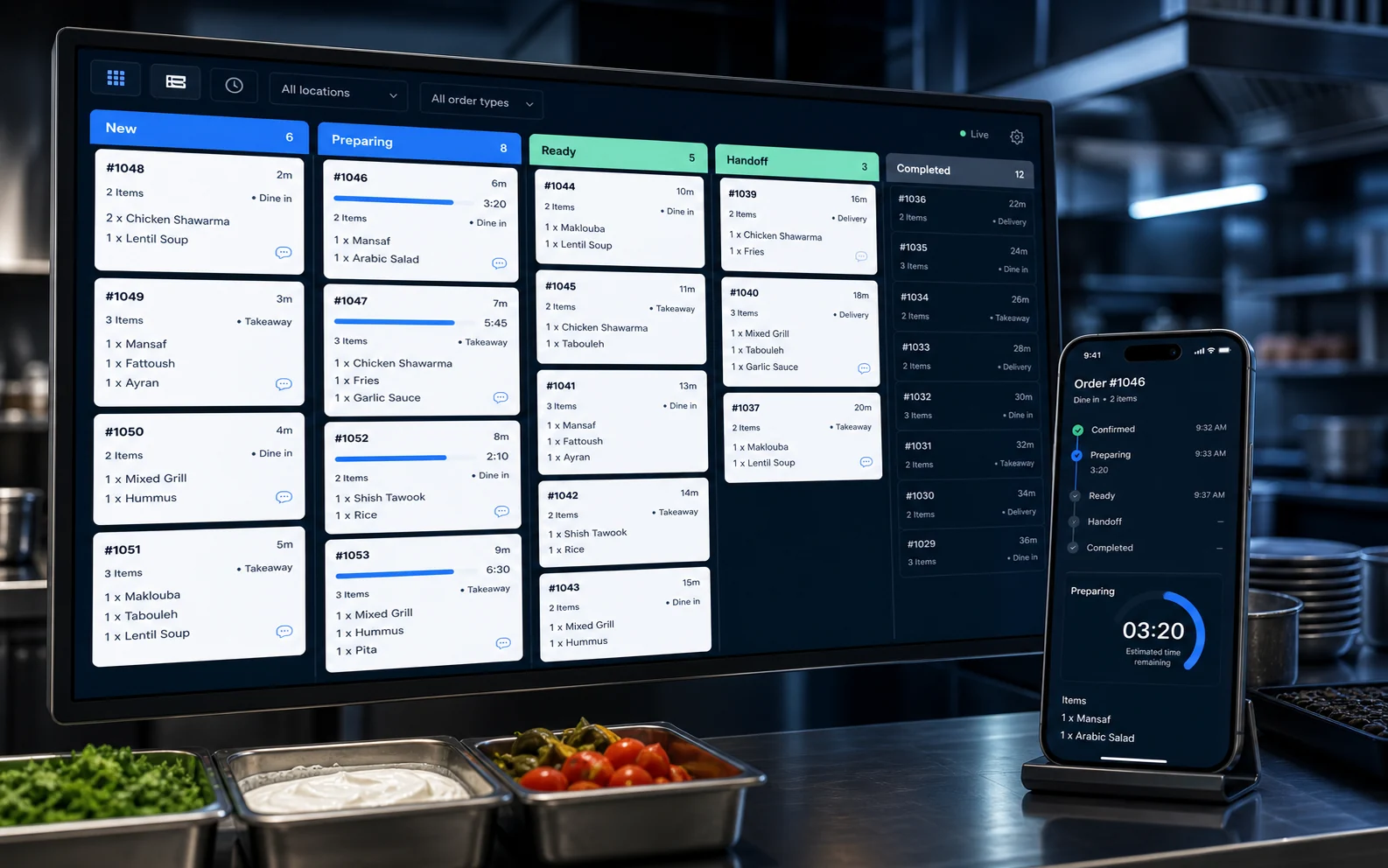
The kitchen sees what to prepare next.
Items, notes and timing stay visible from new order to ready for service.
2× Smash burger
1× Truffle fries
PreparingIngredients follow the sale.
Recipe quantities update stock visibility so purchasing and waste decisions use current information.
The owner sees the result, not scattered updates.
Sales, order times, stock movement and branch performance stay connected for daily review.
BUILT AROUND THE WORK
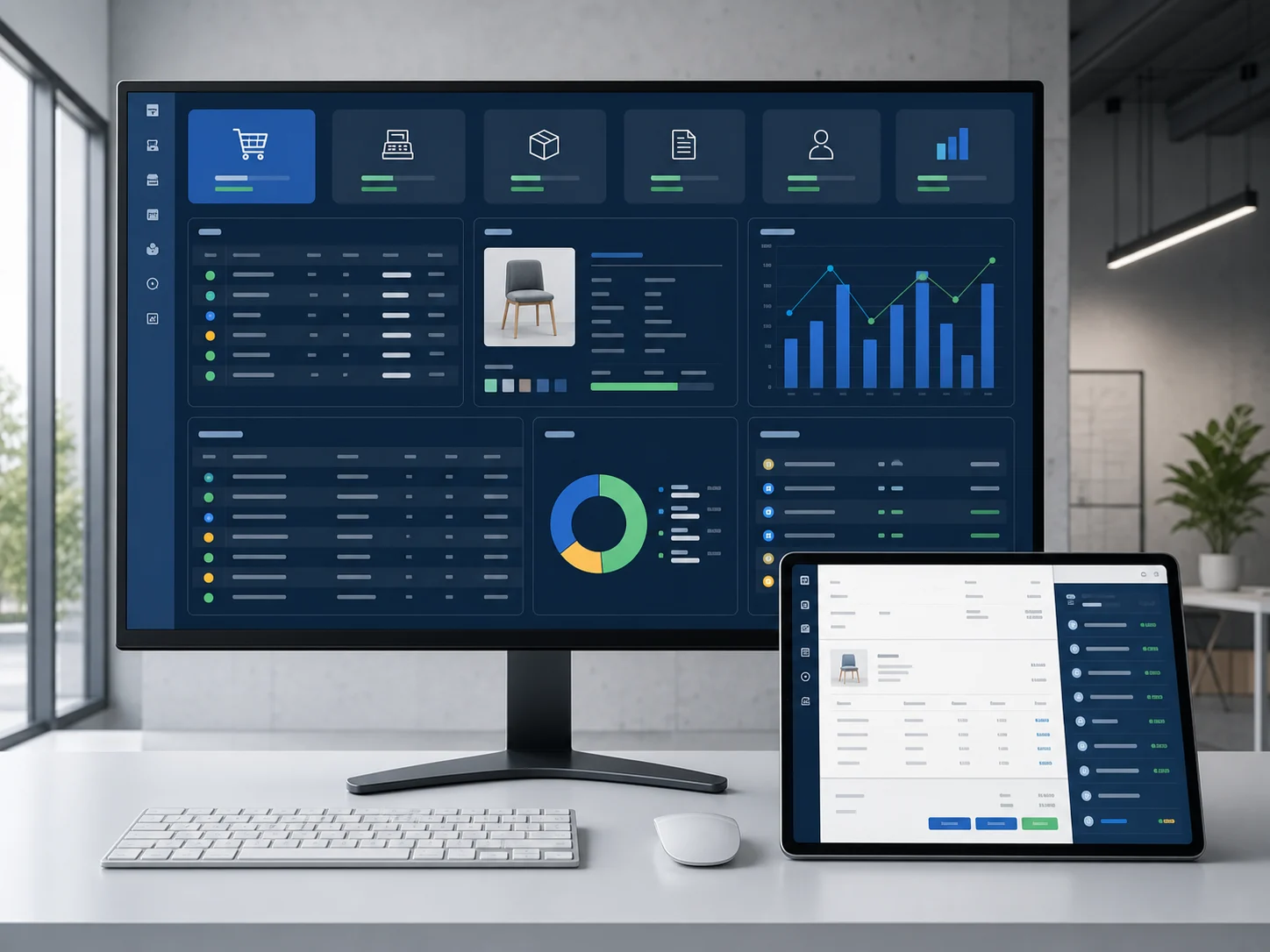
Clear for every person in the restaurant.
Each view focuses on the decisions that role needs to make now.
Order with fewer questions.
- Browse in Arabic or English
- See modifiers and prices clearly
- Send the order from the table
Keep the front of house moving.
- Use one queue for every order channel
- Track tables, payments and delivery
- Send clean tickets to the kitchen
Prepare the right order at the right time.
- Read items and notes at a glance
- Move tickets through clear states
- Keep service updated without calls
Know what is happening across the business.
- Review daily sales and order flow
- Compare branches and permissions
- Connect recipe costs with stock movement
A SYSTEM THAT CAN GROW WITH YOU
Start with what you need. Add the rest when ready.
Choose a focused starting point without losing the path to a complete restaurant operation.
Make it easy for guests to browse and order from the channel that suits them.
- QR menu
- Online ordering
- WhatsApp orders
Give the front of house and kitchen one accurate flow from order to service.
- POS and orders
- Kitchen screens
- Tables
- Delivery
Connect what you sell to what you buy, prepare and review each day.
- Recipes
- Stock
- Purchasing and waste
- Daily reports
Keep standards and visibility consistent as more people and branches join.
- Multi-branch control
- Users and roles
- Permissions
- Remote access and backups
CLEAR PRICING
Start with a menu—or run the whole restaurant.
Choose one path, then compare its packages. Setup and yearly renewal are always shown separately.
START HERE FOR A DIGITAL MENU
Menus & ordering
For restaurants that need a mobile menu or direct ordering without a full POS rollout.
Swipe to compare 3 packages →
Digital menu
QR Menu
A professional menu your guests open from any phone.
- Arabic + English
- Built for mobile
- Share by QR or link
Menu + WhatsApp
QR Menu + WhatsApp
Let guests browse the menu and send their order on WhatsApp.
- Everything in QR Menu
- WhatsApp order handoff
- Clear order summary
Direct ordering
Smart Ordering
Receive structured customer orders directly from the digital menu.
- Ordering from the menu
- Structured order details
- Ready to expand into POS
FOR DAILY RESTAURANT OPERATIONS
Restaurant operations
For teams connecting the cashier, kitchen, stock, reports and multiple branches.
Swipe to compare 4 packages →
One restaurant
POS Starter
A reliable starting point for sales, orders and daily control.
- POS and order management
- Daily sales reports
- Restaurant menu setup
Complete operations
Professional
Run sales, kitchen and stock across up to 3 branches.
Up to 3 branches
- POS
- Kitchen screen
- Stock
Restaurant group
Business
Central operations and integrations for a growing group.
Up to 10 branches
- Accounting
- Warehouses
- API
Custom scope
Enterprise
A tailored rollout for larger or more complex operations.
- Custom branch scope
- Custom integrations
- Rollout planning and support
Optional add-ons Open only if you need more branches, stations or advanced modules. 6 add-ons
Additional branch
- One-time setup
- 250 JOD
- Annual
- 120 JOD
Additional POS
- One-time setup
- 100 JOD
- Annual
- 40 JOD
Kitchen display
- One-time setup
- 200 JOD
- Annual
- 80 JOD
Accounting
- One-time setup
- 600 JOD
- Annual
- 250 JOD
Advanced inventory
- One-time setup
- 350 JOD
- Annual
- 150 JOD
Warehouses
- One-time setup
- 300 JOD
- Annual
- 120 JOD
SETUP WITH YOUR TEAM
We help your team go live.
Your system is configured around the way your restaurant actually takes, prepares and reviews orders.
Plan my setup- 01
Review your menu and order flow
We map dine-in, takeaway, delivery and online needs.
- 02
Configure devices, branches and roles
The right screens and permissions are prepared for each person.
- 03
Train cashier, kitchen and management
Each team learns the workflow they use during service.
- 04
Support the launch
We stay available while your real orders begin moving.
BEFORE YOU CHOOSE
Common questions, answered clearly.
Still unsure about your setup? The form below lets you send the details that matter.
Can I start with only a QR menu?
Yes. QR Menu is 40 JOD annually. QR Menu + WhatsApp is 90 JOD annually, and Smart Ordering is 180 JOD annually. You can move to a POS package when your operation needs it.
Does Restiq include POS and kitchen screens?
Yes. POS, orders and kitchen displays are available as part of the operating packages. We recommend the package around your actual stations and order flow.
Can I add branches later?
Yes. Branches, users, permissions and cross-branch reporting can be added as the business grows. We will confirm the scope and migration plan first.
Can setup include menu entry and training?
Yes. Setup can cover menu configuration, devices, roles and team training. The exact work is confirmed from your requirements before you approve it.
YOUR RESTAURANT, YOUR REQUIREMENTS
Get the right Restiq setup for your restaurant.
Answer a few questions. Review the message. Send it to us on WhatsApp.
WhatsApp us directly +962 79 710 6497